
• Home
  • Home
  • Mobiles
  • Android News
  • Mobile reviews
  • Entertainment
  • Sports
  • Technology
  • Editor's picks
  • Top Stories
You are here : Home »
Showing posts with label Android news. Show all posts
Handheld games consoles such as the impressive PS Vita, though still popular, are in danger of being sidelined by increasingly capable smartphones and the games that are available to play on them. There is one problem with this transition however: the control system on touchscreen phones and tablets leaves a lot to be desired. Which is where GameKlip enters in to the equation.


GameKlip is a simple solution that brings two existing products together in a way that makes them look as though they were always designed to operate in unison. GameKlip is essentially nothing more than a plastic clip that attaches an Android phone to a PS3 controller, but its simplicity cannot take away from its usefulness.

The GameKlip hooks on to a PS3 controller and the Android phone is then slid snugly into place above the shoulder buttons. Once connected the whole thing looks more like a dedicated handheld games console than two devices forced uncomfortably together. The PS3 controller offers native analog input and emulates both touch and hardware controls. While it may not make you any better at Angry Birds, it will offer a more intuitive method of controlling the more complex games that are increasingly being ported to Android and sold through Google Play.


Each GameKlip is manufactured to fit a specific phone, with versions to fit popular devices kept in stock. Versions for other Android phones can be forged on demand. This made-to-order approach means each GameKlip will only fit the make and brand of phone specified. If you buy another phone, which most of us do every one or two years, you'll likely need to buy another GameKlip. Another note to remember is that you have to remove your phone from its case in order to fit the GameKlip in place. While the inventor of the GameKlip is confident that once inserted into the bracket the phone is safe from falling, the risk still remains.

The Sony Playstation DualShock3 controller and the phone connect wirelessly thanks to the Sixaxis Controller app from Dancing Pixel Studios, but your phone needs to be rooted in order for it to work in this way. Thankfully there is a compatibility checker available on Google Play. Those who own phones that either aren't rooted or aren't compatible have the option of going the wired route, with a USB cable included for those willing to pay a little extra. Unfortunately only the Samsung Galaxy S3 has so far been tested to work with the PS3 controller using this method. Which is something of an oversight.


A version for the Xbox 360 controller is said to be being worked on, while "GameKlip Tablet" for 7-inch devices is at the prototype stage. GameKlip for Android phones is available to buy now for a range of different devices, priced at US$15 for the wireless version, $23 for the wired version (plus shipping).


GameKlip's promo video (below) provides a closer look at this simple but effective piece of hardware........

http://www.youtube.com/watch?feature=player_embedded&v=Wiek3pgBxqk
Android 4.2 is officially out in the name of jean bean

Multiple user accounts :

Android 4.2 Jelly Bean for tablets adds multiple user-support to the OS. This way everyone in the household can have an account, which once logged in, welcomes them to their own homescreen, background, widgets and apps. Even the games keep the individual high scores and levels.

Settings center in the notifications drawer

The expandable notifications were a welcomed addition in Android 4.1, but now in Android 4.2, you can also take various actions like toggling Wi-Fi, adjusting screen brightness, go to Airplane mode, and more.
To do so, just tap on the icon on the top right once you have the notification drawer on. It took Google a while to copy the time-saving feature that TouchWiz, SenseUI and many other manufacturer Android skins implemented a while ago. Still, it's good to have it backed in right into the OS.
Photo Sphere
With Android 4.0, Google introduced the Panorama capturing mode, and now with Android 4.2 Jelly Bean users will get a cool feature dubbed Photo Sphere. It's a panorama mode on steroids and allows you to capture photos in multiple directions (up, down, left, right).
After they've been captured and saved as JPEG files you can view them and navigate around the whole image. You can share the image on Google+ or, if you feel like it, contribute the Photo Sphere to Google Maps.
The feature itself was inspired by Street View, as the Product Management Director for Android Hugo Barra points out. He adds that the photos pack embedded XML metadata in them allowing you to easily share them on Google+ and put them in Google+ photo albums, where your friends can view them as well.
Gesture Typing

Forget about Swype, Android's very own Gesture typing is the new cool kid on the block. It works in a manner very similar to Swype -- you just Swipe your finger over the letters you want to type, lifting after each word is complete.

Naturally, the Gesture Typing feature benefits from the already existing Android word prediction, so you can just click on the words the keyboard suggests. This comes in addition to the offline voice typing service that Google offers, which makes for an all-round great messaging experience.

Wireless TV integration


Better late than never, finally in this version of Android Google has allows you to wirelessly share the screen of your phone or display with a big screen TV set.
All you need to do is connect a wireless display adapter to an HDMI-enabled TV and then it'll start mirroring whats on your screen using DLNA. The new feature uses the Miracast protocol for streaming.
It's another feature most customs launchers had, but is only now making its way to the platform itself.

Widgets on the lock screen


Widgets are a major part in Android and now you can assign a widget on the lockscreen as well. Think of the Music player widget on the lockscreen, but now you can assign another one there, so it's always just a click away.

Daydream


Android 4.2 Jelly Bean isn't just business and no play. Google has integrated a little feature called Daydream, which is simply a sort of a screensaver. Once turned on, you can set it up to show photo albums, latest news from Google Currents and more when the device is either docked or idle.
Various improvements
Android 4.2 Jelly Bean has a lot going for it, including some minor additions. You can now use pinch-to-zoom in Gmail for enhancing reading, triple-tap to magnify the entire homescreen and the pan and zoom with two fingers, as well as added speech output and gesture mode navigation for the visually impaired users.
Expect Android 4.2 Jelly Bean to start its roll-out once the new Nexus family of devices goes on sale on November 13.
android 4.1 better,smooth and fast


It's time for the Nokia Lumia 510 to get out of hiding and step into the light - it's an entry-level Windows Phone smartphone, which has some pretty decent specs. Starting with a 4" WVGA TFT screen, the Lumia 510 takes the lead on the Lumia 610, which has a 3.7" screen.
The Lumia 510 also features a 5MP autofocus camera with VGA video recording (matching the 610). Camera geeks might also want to know that the camera has an f/2.4 aperture and wide angle 28mm focal length (in 35mm equiv.).
So far, so good. The Lumia 510 is powered by a Snapdragon S1 processor, though we still don't know the exact specs (it's more than likely it uses the same Cortex-A5 CPU as the 610).


The phone has only 256MB of RAM, which will probably limit app compatibility as we've seen with the Lumia 610. The internal storage is also limited - 4GB, non-expandable - which is another limitation to consider. Every Windows Phone comes with 7GB of free cloud storage on SkyDrive though this can be of little help when your internal storage fills up.
The Nokia Lumia 510 comes with Nokia's proprietary GPS-navigation apps Nokia Maps and Nokia Drive.
On the connectivity side, there's 2G and 3G with HSDPA, Wi-Fi b/g/n and Bluetooth 2.1.
There's no NFC on the Lumia 510, at least not on this model. The original 610 didn't have it at first too, but then Nokia launched the Orange-exclusive Lumia 610 NFC.
The Lumia 510 will run Windows Phone 7.5 at launch and will be updated to 7.8 as soon as it's ready.
Speaking of launch, the Nokia Lumia 510 will first go on sale in China and India in November, then move to the Asia-Pacific and South America. Nokia estimates the phone will cost $200 before taxes and subsidies.
At this price point, current Android smartphones will have a really hard time competing with the Lumia 510's winning combo of a 4-inch screen, 1GHz CPU, 5MP wide angle camera plus offline SatNav.
Thanks to everyone who sent this in!

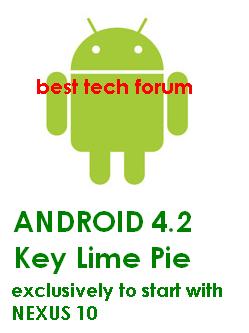
Best tech forum bringing in you with the latest news on ANDROID 4.2... 
The latest Android operating system version is 4.1, otherwise known as Jelly Bean. It was introduced at Google I/O this year, and is now slowly working its way into devices around the world. Rumors indicate that the next version of Android would be called Key Lime Pie or Kandy Cane, but it looks like we’ll be stuck with Jelly Bean for a while longer.
Google will be announcing a number of Android devices and updates at an event next Monday. There have been numerous rumors regarding what’s going to be on display, but a report from The Next Web reveals all. A source close to Google disclosed that the company will be announcing the Samsung Nexus 10 at the event. This is the rumored 10-inch tablet that Google will be using to take on the regular iPad at its own game with an impressive 2560×1600 display.
It’s also reported that the Nexus 10 will be equipped with Android 4.2. Everybody thought the next version of Android would be getting a name change, but Google is reportedly sticking with the Jelly Bean name for now. The extra time with Jelly Bean will hopefully convince them that Kandy Cane is an awful name for the next major upgrade.
In other good news, the leaked LG Nexus 4 will also feature the new Android 4.2 operating system. As for those leaked specs from last week, The Next Web reports that those are correct. It looks like we’ll be getting a powerful phone at a cheap price if the rumored price of $300 sticks.
It’s great that Google is pushing Android 4.2 on two different devices at once, but what does the new OS offer over previous iterations? According to the report, Android 4.2 will have a new feature called “Content in the center.” In essence, it allows users to access Google Play via a widget.
The other more interesting feature in 4.2 is “Tablet sharing.” It allows users to create multiple accounts on one device with different apps tied to each account. This is something that Apple and Amazon have still not done, and it’s a welcome addition for tablet owners who want to set up separate accounts for family members. Parental controls can only do so much after all.
Leaks take some of the fun of anticipation out of events, but it looks like Google is going to have one heck of a show on their hands. Android 4.2 looks to be exciting enough as it is and tablet sharing needs to be a thing across every mobile device. Here’s hoping Google inspires Apple and Amazon to follow.
The compact but highly popular member of the Samsung Android lineup, Galaxy Y has received a minor software update. Available over-the-air, the update doesn't bring many substantial changes to the device, but rather improves the system stability.

Additionally, according to our tipster, who has received the update, the screen responsiveness is also improved. The update changes the baseband version to S536ODDLF1 and the firmware version to S536ODDLF1.
So, Galaxy Y users, go to the Settings menu and check for a Software update. Unfortunately, there's no official word from Samsung on which regions should expect the update and when.....

actually the update is 1.25 mb and it works in india ..... so enjoy !!

post your comments....
If you already know what MIUI is, you’re well aware that it looks nothing similar to the Android versions that are on your device. For one thing, the MIUI is light while the Ice Cream Sandwich has a dark exterior. It is also simple, whereas ICS is full of different menus. Also, MIUI is sleek compared to the others that are clunky.
But because the Android 4.0 version is taking a while to be adapted to other smartphones and tablets other than the Galaxy Nexus S, many are growing tired of waiting. Considering that the Nexus S is still the only device where the ICS OS is officially available in, it is understandable why developers are getting impatient.

This is why there are some enterprising developers who turned to the creation of a FrankenROM composed of an assortment of all types; a little of the MIUI framework, CyanogenMOD 9 code, some of the leaked ROM kernels of the official ICS, plus a few other pieces that produce a usable and bug-free experience.
Unfortunately, there have been some disappointments with the MIUI including an underwhelming battery life. Additionally, there are a couple of things that need to be done before the ROM can be used. If you can easily follow simple instructions, you can check out XDA-Developers and see if the MIUI works on your device.

For those of you out there that have a Samsung Galaxy S or a Samsung Galaxy Tab, this is probably not the news you wanted to hear just before Christmas. After all this is the most depressing time of the year, and Samsung isn’t making it any better. We have just heard the news that Samsung doesn’t plan on upgrading either the S or the Tab to ICS. Not because of age or hardware, but rather because of TouchWiz.

That’s right, Samsung wont be bringing ICS to these devices because of their TouchWiz skin. They say there isn’t enough Ram or Rom to run both the ICS OS as well as all of Samsung’s “experience-enhancing” software, aka bloatware. Don’t get me wrong, TouchWiz is one of the better skins to be laid over The Android OS, but I bet we can all agree, that we can live without it. Right? I mean I would chose TouchWiz any day over Sense, however I would also choose pure Android over both. (Or any skin for that matter.)
This for me, and I’m sure for others out there, isn’t that big of a deal. We all have the option to get new phones, provided our bank account has the funds, or it’s time for an upgrade. However there are a few of you that neither one of these options are attainable. To you we give our condolences and hope that one day soon we don’t find ourselves in the same boat. If you do find yourself in this dilemma, please let us know your frustration in the comments section below.
Source : The verge .


RECENT POSTS ON MOBILES
Older Posts Home

Daily Video

2012 Best Tech Forum. All rights reserved.
Owned by Downloadblasts
